

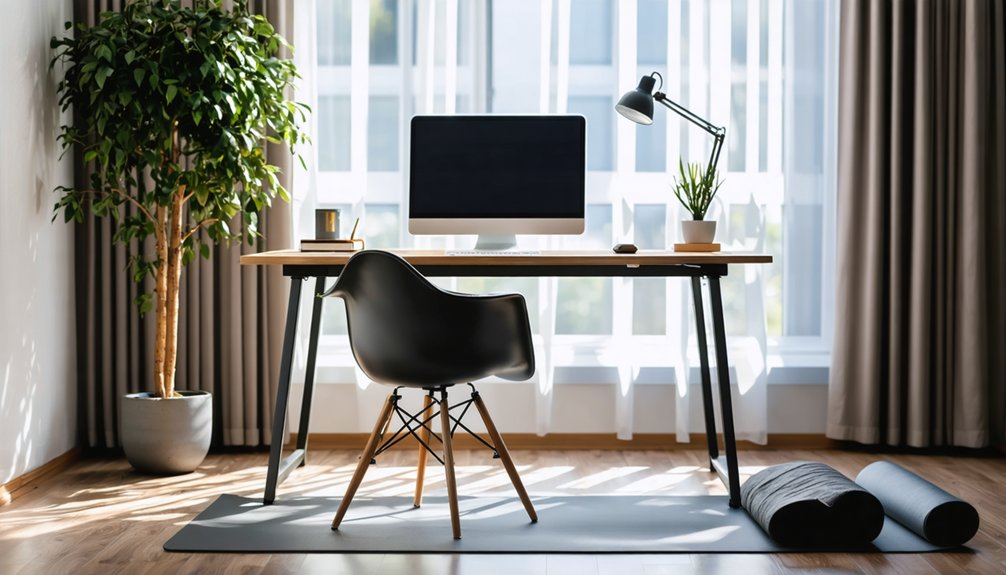

To improve posture while working from home, individuals should select ergonomic chairs that support lumbar curvature. Setting the desk height to match elbow level and positioning the monitor at eye level are crucial. Proper keyboard and mouse placement minimizes strain on wrists. Incorporating regular movement breaks is essential to counter prolonged sitting, while adjusting armrests enhances comfort. A clutter-free workspace further enhances productivity. Uncover additional methods for optimizing home office ergonomics to create a healthier work environment.
Highlights
- Invest in an ergonomic chair that supports your spine’s natural curvature to enhance back and neck health while working from home.
- Adjust your desk height so that your elbows form a 90-110° angle, promoting better comfort and reducing strain.
- Position your monitor so that the top is 10° below your eye level, ensuring a neutral neck posture during use.
- Keep your keyboard and mouse close to your body, aligning them with elbow height to maintain a neutral wrist position and reduce reaching.
- Incorporate regular movement breaks into your work routine to combat prolonged sitting and enhance overall health and posture.
Choosing the Right Chair for Support
Selecting an appropriate chair plays a crucial role in maintaining health and productivity while working from home. Effective chair selection focuses on back support, as inadequate lumbar support substantially contributes to chronic pain and long-term disability risks. Research shows that 84% of employees using ergonomic chairs reported improvements in back and neck health. An ergonomic chair is designed to support the natural S-shaped curvature of the spine, featuring adjustable headrests and backrests that prevent poor posture. Additionally, essential adjustability features like seat height, depth, and armrest adjustments accommodate various body types, ensuring comfort during long hours. By prioritizing proper chair selection, remote workers can enhance both their well-being and work efficiency, nurturing a greater sense of belonging in their home office environment. Furthermore, using an ergonomic chair can boost productivity by 15% to 20%, making it a worthwhile investment for those working from home. Quality ergonomic design should prioritize support for multiple postures, ensuring users can adjust their seating for optimal comfort throughout the day. Moreover, ergonomic task chairs help mitigate health risks, particularly those related to musculoskeletal disorders that are common among remote workers. This is largely due to their ability to promote healthy movement, which is essential for combating the negative effects of prolonged sitting.
Optimizing Your Desk Height
An ergonomic chair substantially improves comfort and support, but optimizing desk height is equally important for a productive home office setup. Standard desk heights range between 28 and 30 inches, primarily accommodating individuals around 5’8″ to 5’10”. To guarantee proper alignment, the desk surface should match elbow height, creating a 90-110° angle at the elbow when hands rest flat. For personalized desk customization, height-adjustable desks offer flexibility; they range from 22 to 33 inches and cater to diverse physiologies. Additionally, using sturdy blocks can effectively raise lower desks, while a footrest can aid in balancing high setups. Adjusting desk height within the recommended range is essential to ensure optimal comfort and reduce the risk of strain. In fact, ergonomic desk height is crucial for comfort and preventing future problems. Moreover, maintaining correct laptop ergonomics helps in reducing neck and back pain, which enhances overall productivity. Ultimately, proper ergonomic balance is vital in preventing musculoskeletal disorders and promoting long-term well-being. Proper ergonomics, such as ensuring adjustable furniture, can be integrated into the workspace to support individual body mechanics effectively.
Positioning Your Monitor Correctly
Correct monitor positioning plays a crucial role in maintaining comfort and preventing strain while working from home. The ideal monitor height should position the top of the screen approximately 10° below eye level, ensuring that the user’s eyes align 2-3 inches beneath the monitor’s top casing. This configuration supports a neutral neck posture, minimizing chin tilt. Maintaining an ideal viewing angle, with the center of the monitor aligned with the user’s midline, mitigates the risk of neck twisting. Additionally, the monitor should be placed at a comfortable viewing distance of 20-30 inches to avoid strain. By ensuring that the monitor is positioned in accordance with proper viewing angles, you promote better eye comfort and reduce the likelihood of eyestrain. Proper ergonomics not only improves comfort but also significantly enhances productivity during long hours of work. Implementing a proper desk setup can further enhance overall physical and mental health while working remotely. Furthermore, keeping the neck, shoulders, and arm muscles relaxed can help reduce discomfort during prolonged use of the monitor.
Ergonomic Keyboard and Mouse Setup
Monitor positioning lays the groundwork for an ergonomic workspace, but it is equally important to focus on the setup of the keyboard and mouse. Proper keyboard placement should align with elbow height to maintain a neutral wrist position, reducing muscle strain. The mouse should be at the same height as the keyboard, creating a straight line from elbows to wrists. Both devices must be kept close to the body to minimize unnecessary reaching, which can increase muscle activity by 30-50%. Selecting compact or split keyboards can further enhance ergonomic benefits by accommodating individual shoulder widths. Additionally, vertical or trackball mice facilitate a natural hand position, promoting comfort and reducing the risk of strain during prolonged use while working remotely. Implementing good posture habits is essential to ensure that your workspace remains comfortable and efficient over time. Additionally, placing the mouse and keyboard at the same level can help prevent musculoskeletal injuries associated with improper positioning. Incorporating ergonomic accessories can significantly improve overall posture and create a more supportive work environment. A well-designed keyboard and mouse setup can help reduce repetitive strain injuries, fostering a healthier work experience over long durations.
Incorporating Movement Into Your Work Routine
Incorporating movement into a work routine is essential for remote workers who often face the challenges of prolonged sitting. Research shows that remote employees average 9.2 hours of sitting daily, increasing physical inactivity and associated health risks. To combat this, integrating remote exercises and virtual fitness sessions is vital. Effective strategies include scheduling movement breaks during work meetings longer than 30 minutes, allowing for standing or walking. Utilizing audio calls enables participants to move without visual distractions, while structured active break programs promote a supportive environment. Leadership can also play a significant role by modeling and encouraging these breaks. Employers should promote physical activity among their employees to preserve health and well-being. Additionally, studies indicate that regular physical activity enhances vaccination response and chronic disease management, further supporting the need for movement during work hours. Ultimately, small, consistent movements can enhance physical resilience, reduce stress, and augment overall productivity during remote workdays.
Importance of Foot Placement
Although often overlooked, the significance of proper foot placement while working from home cannot be overstated.
Proper foot positioning is essential for maintaining spinal alignment and reducing lumbar strain.
When feet rest flat on the floor, knees should bend at an approximate 90-degree angle, ensuring thighs remain parallel to the ground.
This alignment supports ideal ankle alignment and promotes healthy circulation, while minimizing tension in lower back muscles.
Neglecting foot position can lead to compensatory postures and increased discomfort over time.
To enhance support, utilizing footrests or improvised solutions like sturdy boxes can lift feet appropriately.
Ultimately, attention to foot placement creates a foundation for overall well-being and comfort during extended work periods, promoting a sense of belonging within a communal work environment.
Adjusting Your Armrests for Comfort
Armrests play a essential role in enhancing comfort and supporting proper posture during long hours of remote work.
Proper armrest adjustment is imperative; they should be set to allow the elbows to form a 90-degree angle while supporting the forearms gently.
This positioning prevents unnecessary strain on the shoulders and neck, nurturing a more relaxed upper body.
Armrests should just touch the undersides of the elbows when arms hang loosely to maintain spinal alignment.
Additionally, features like depth and pivot adjustments accommodate various postures, further optimizing elbow support and arm positioning.
Without these adjustments, users risk experiencing muscle tension and discomfort, making it essential to customize armrests for an improved and healthier work-from-home experience.
Making Use of Accessories for Better Posture
Accessories play a vital role in enhancing posture while working from home, as they contribute to a more ergonomic and supportive environment.
Ergonomic seating solutions, such as adjustable office chairs and footrests, support natural lumbar curvature and maintain ideal knee and leg positioning.
Height-adjustable desks and laptop risers are essential for achieving proper alignment, ensuring elbows and screens are at the correct heights.
Additionally, movement accessories like under-desk walking pads and active sitting stools promote posture variation throughout the day.
By incorporating these tools, individuals can create a well-organized workspace that reinforces posture prompts, ultimately reducing discomfort and giving a productivity lift.
This thoughtful use of accessories promotes a sense of belonging in a workspace that prioritizes health and efficiency.
Creating a Clutter-Free Workspace
A clutter-free workspace is essential for maximizing productivity and promoting a positive working atmosphere, especially in a home office setting. Effective workspace organization substantially influences productivity benefits, with studies indicating a potential 19% increase in optimized environments.
Cluttered spaces not only exacerbate stress and anxiety but also impair focus and creativity. By implementing hidden storage solutions and modular furniture, individuals can create an inviting atmosphere that promotes concentration. Additionally, a clean workspace contributes to overall well-being, reducing the likelihood of illness-related absenteeism.
Maintaining organization through designated zones for collaboration versus focused work enhances functionality, ensuring professionals feel inspired and motivated in their environment. Ultimately, a tidy workspace contributes deeply to job satisfaction and overall performance.
Sticking to Breaks and Stretching Exercises
Taking regular breaks and incorporating stretching exercises into the daily routine is essential for remote workers aiming to reduce discomfort and enhance overall well-being.
Research indicates that scheduled break notifications can substantially alleviate neck and back pain, common among remote employees.
By practicing specific stretch exercises, such as chest-opening extensions and hamstring stretches, individuals can counteract the stiffness resulting from prolonged sitting.
Implementing these exercises hourly helps improve range of motion and reduces musculoskeletal pain.
Additionally, structured routines like the “COVID-19 Desk Routine” provide an organized approach to staying active.
References
- https://www.cmd-ltd.com/advice-centre/ergonomics/ergonomic-home-office-setup/
- https://www.mayoclinic.org/healthy-lifestyle/adult-health/in-depth/office-ergonomics/art-20046169
- https://www.ehs.washington.edu/about/latest-news/ergonomic-tips-your-home-office
- https://www.minimaldesksetups.com/the-ultimate-home-office-setup-guide/
- https://www.youtube.com/watch?v=F8_ME4VwTiw
- https://prenixfurniture.com/blogs/the-impact-of-ergonomic-office-chair-on-employee-wellbeing
- https://secretlab.co/pages/ergonomics
- https://www.upliftdesk.com/blog/office-chair-back-pain-relief/
- https://officefurnituredesigns.com.au/blogs/chairs/comprehensive-research-report-on-ergonomic-office-chairs-and-task-seating
- https://engageforsuccess.org/the-surprising-impact-of-office-chairs-on-your-productivity/